Get A Free Quote

How to Choose a Cloud Video Door Phone in 2026?

Choosing a Cloud Video Door Phone in 2026 means weighing more than camera resolution. The right device should let you see a visitor clearly, speak without distracting delay, and unlock the entrance with confidence. Try the app on the phone you actually use. Check the image at night, when porch lights can wash out a face or leave the doorway in shadow. Small details matter.

Security technologist Bruce Schneier has said, “Security is a process, not a product.” That reminder fits connected entry systems: a polished app cannot compensate for weak account controls, unclear data-retention settings, or updates that stop too soon. Before buying, ask where recordings are stored, how long they remain available, and whether the system still offers useful local functions during an internet outage. Read the privacy and support terms, not just the feature list.

There is no perfect model. A rental apartment, a busy family home, and a small office may need different calling, user-access, and storage options. A wide-angle lens might capture the doorstep but distort a visitor standing close to it. A cloud plan may make remote playback convenient, yet add recurring costs. Test these trade-offs against your entrance, Wi-Fi signal, and daily routine. The sections ahead explore video quality, audio, connectivity, storage, privacy, compatibility, and long-term value—so you can choose a Cloud Video Door Phone with fewer surprises, and a clearer sense of what you are giving up.
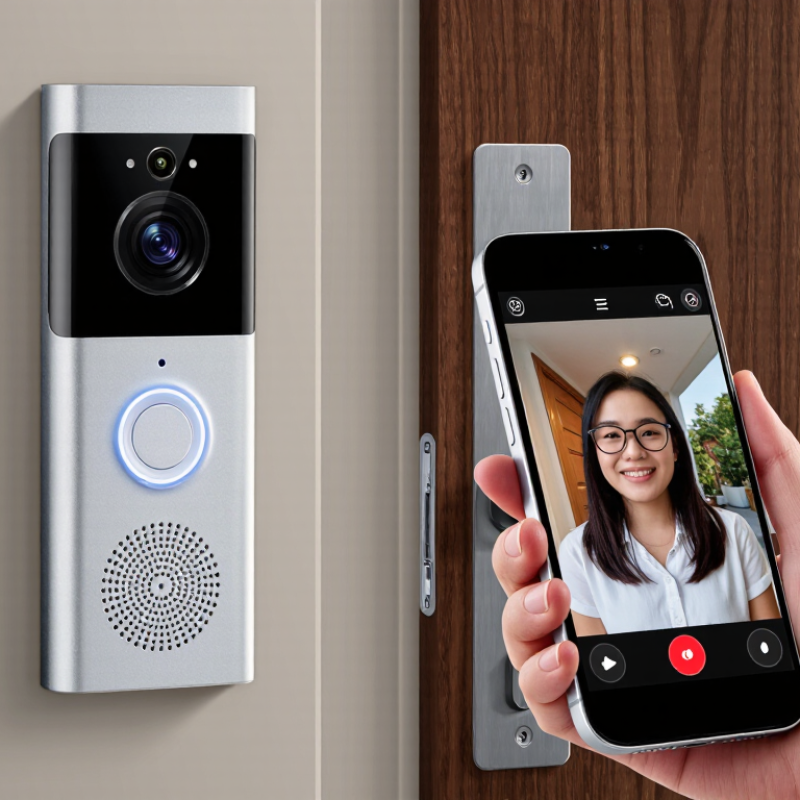
How to Choose a Cloud Video Door Phone in 2026?

Understand How Cloud Video Door Phones Work

A cloud video door phone links an outdoor camera and call button to an indoor unit, router, and mobile app. When a visitor presses the button, the system sends an alert and video through an internet connection to your phone. Cloud services may relay live video, store clips, and sync settings across devices; exact functions vary. Latency matters. A weak Wi-Fi signal can delay calls, while a power or internet outage may interrupt remote access. Check whether the indoor unit still works locally.

Cloud infrastructure is widely used, but that does not guarantee every door phone is reliable. Synergy Research Group estimated global cloud infrastructure service spending reached about $330 billion in 2024, up 22% year over year. Security deserves equal attention: IBM’s 2024 Cost of a Data Breach Report put the global average breach cost at $4.88 million. These broad industry figures are not door-phone failure rates, but they underline why secure account access, software updates, and clear data-retention settings matter. One trade-off is easy to miss: cloud recording can be convenient, yet it may require a subscription and dependable upload speed.

Tips: Test at night. Check Wi-Fi at the entrance, review clip-retention options, and ask how the device handles outages. A real test beats a promising spec sheet. Also consider who can view recordings; convenience is not the whole story.

Identify Your Access, Network, and Household Needs

Start with the way people actually enter your home. Do deliveries arrive while nobody is in? Do children or older relatives need a simple way to answer? A video door phone should fit these routines, not just look impressive on a feature list. That matters. Check whether you need one indoor screen, phone alerts for several household members, or both. Think about night use, too: a clear view of a visitor’s face can be more useful than extra controls nobody remembers.

Next, test the network where the door unit will sit. A strong signal in the living room does not guarantee reliable video at a metal-framed entrance. Check the weak spot. If possible, test a video call from the doorway and note delays, frozen images, or missed alerts. Cloud features depend on a working internet connection, so consider what happens during an outage and whether local calling or recording is available. Ask who can view clips, how long they remain stored, and how household members can manage access. A tidy checklist can still miss the daily reality: one person may ignore notifications, while another relies on them. Choose settings your household can maintain, and leave room to revise them after a week of use.

How to Choose a Cloud Video Door Phone in 2026

Plan for concurrent use: This illustrative estimate assumes 2 Mbps per simultaneous HD stream, plus 50% capacity headroom. Actual bandwidth needs vary by device, video quality, and household internet use.

Before choosing, consider who needs access, how many people may view the door at once, and whether your Wi-Fi is reliable at the entrance. Check your device’s stated requirements and test your home’s upload speed; leave extra capacity for video calls and other household activity.

Compare Video Quality, Communication, and Entry Features

A cloud video door phone should show more than a clear face at noon. Check image detail, viewing angle, and performance in shade or backlight. Test it at dusk. A wide lens may capture a parcel on the ground, but it can also make visitors look smaller. Compare live-view delay, too: a sharp image arriving several seconds late is less useful when someone is waiting at the gate. Rain, porch lighting, and a busy home Wi-Fi network can all change the result, so read specifications as starting points, not guarantees.

Communication needs a practical test. Speak from the doorway and listen indoors for echo, clipped words, and delays. Check whether call alerts arrive reliably when your phone is locked or connected to mobile data. Short conversations should feel natural. Cloud recording can help review missed visits, but confirm how long clips remain available and who can access them. A privacy setting is easy to overlook during setup.

Entry features should match the people who use the door. Remote unlocking is convenient for a delivery or a family member, while timed access codes may suit scheduled visitors. Look for clear confirmation that a door has locked, plus a manual option if the internet drops. More features are not always better. A complicated screen can slow down a guest, and I would test the everyday steps before paying extra for rarely used controls.

Evaluate Cloud Storage, Privacy, and Subscription Costs

How to Choose a Cloud Video Door Phone in 2026?
Evaluate Cloud Storage, Privacy, and Subscription Costs

Cloud storage lets you review visitors after a missed alert, but check what “included” actually means. Some plans save clips for only a few days; others offer longer history for an added fee. Think about your routine: a delivery-heavy home may need more video history than a quiet entryway. Check whether clips download easily and whether the service records continuously or only after motion.

Privacy deserves a close look. Find out how long recordings remain, how to delete them, and who can access shared accounts. Look for clear details about encryption and account security, such as two-step verification. No feature removes every risk. A camera can also capture neighbors or passing pedestrians, so adjust its viewing angle and motion zones carefully. Small setup choices matter.

Tips: Compare the yearly subscription cost, not just the monthly price. Check whether alerts, saved clips, and downloads require separate plans. Test notification speed during a trial if available. I might still choose a cheaper plan, then regret losing an important clip later.

Check Installation, Device Compatibility, and Long-Term Support

A cloud video door phone can look easy to install, but the doorway often tells a different story. Before buying, check the available power supply, wiring, mounting space, and Wi-Fi signal where the unit will sit. A strong signal beside the router proves little if the front door is behind thick masonry. Test there with a phone. A wired setup may need an installer, while a battery model may require regular charging. Small details matter.

Compatibility deserves the same attention. Confirm that the phone works with your mobile operating system and any existing chime, indoor monitor, or access equipment. Check whether multiple household members can receive alerts, and whether the app supports the features you actually need. Motion zones and visitor history can sound useful, yet a confusing app may turn them into daily friction. It is easy to overlook that part.

Long-term support affects how useful the device remains after installation. Look for clear information about firmware updates, security fixes, replacement parts, and customer service. Ask how cloud storage works, how long recordings remain available, and whether key features require an ongoing subscription. Terms can change, so read the current plan details rather than relying on a sales page. There is no perfect checklist. Revisit your assumptions before committing.

How to Choose a Cloud Video Door Phone in 2026? - Check Installation, Device Compatibility, and Long-Term Support

Selection dimension What to check Practical guidance Before you buy
Existing wiring and power Required voltage, transformer rating, wiring terminals, and whether the existing indoor chime is supported. Wiring and transformer requirements vary by device. A wired doorbell connection is not automatically compatible with every video door phone. Check the installation guide and measure or confirm the existing power supply. Use a qualified installer if the wiring or voltage is uncertain.
Wireless or wired network Supported Wi-Fi bands, signal strength at the entrance, Ethernet options, and any required network ports or settings. Some devices support only 2.4 GHz Wi-Fi; others support additional bands or Ethernet. A strong signal at the router does not guarantee a strong signal at the door. Test the network where the unit will be mounted and verify the exact network requirements in the device documentation.
Mounting and site conditions Mounting dimensions, viewing angle, cable entry, weather rating, operating temperature, and exposure to direct sun or rain. The stated weather and temperature ratings apply only under the conditions described by the manufacturer. A sheltered location can reduce exposure but does not replace an appropriate rating. Check the mounting surface, camera sightline, and local weather exposure before selecting a wired or battery-powered installation.
Phones and household users Supported mobile operating-system versions, number of user accounts, simultaneous notifications, and access-sharing controls. App support and available features can differ between operating systems and app versions. Shared access may require individual accounts or administrator approval. Confirm that every intended user’s phone is supported and review how access can be added, removed, or recovered.
Cloud recording and costs Whether cloud recording is optional or subscription-based, retention period, event limits, download access, and service cancellation terms. Cloud storage duration and features vary by service plan and may change. Live viewing, local storage, and recorded-event access are separate features. Read the current plan terms and confirm what happens to recordings and features if the subscription ends or the internet connection is unavailable.
Privacy and account security Account authentication, access permissions, encryption statements, privacy settings, data-retention information, and account deletion options. Security controls and data practices differ by service. Camera placement and recording may also be subject to local privacy rules. Review the privacy policy and security documentation; use unique credentials and available multi-factor authentication.
Integration with other systems Compatibility with existing chimes, smart-home platforms, voice assistants, access-control equipment, or open standards. Compatibility may depend on the exact device, software version, region, and subscription. Support for a standard does not guarantee every feature will interoperate. Verify the specific integration and required features in both systems’ current compatibility documentation.
Firmware and long-term support Published security-update policy, support end date, warranty period, repair options, and availability of replacement accessories. Support duration and update frequency are not the same for every product. A general promise of updates is less useful than a clear policy or end-of-support date. Look for written support commitments and check whether the app, cloud service, and device firmware are all covered.
Outage behavior and fallback What works during an internet, power, or cloud-service outage; available local recording; and how alerts are delivered. Cloud-dependent functions may be unavailable without connectivity. Local recording or wired chime support, when offered, depends on the device configuration. Read the outage documentation and decide which functions must continue working if the internet or cloud service is unavailable.
crossmenu linkedin facebook pinterest youtube rss twitter instagram facebook-blank rss-blank linkedin-blank pinterest youtube twitter instagram