How to Choose an Industrial Panel Mount Monitor in 2026?
Industrial automation is growing, and operator interfaces must keep pace. The International Federation of Robotics reported 4,281,585 industrial robots operating in factories worldwide in 2023, a 10% rise from 2022. Its World Robotics 2024 report also recorded 541,302 new installations that year. These figures do not measure monitor demand directly. They do show why dependable, readable machine interfaces matter on busy production floors.
An Industrial Panel Mount Monitor connects people with machines, so choosing one involves more than matching screen size. Consider the control cabinet opening, viewing distance, ambient light, and available mounting depth. A bright screen may help beside a sunlit loading bay, while a sealed front can matter near washdown areas. Dust gets everywhere. Touch performance, operating temperature, connector placement, and the computer’s video output deserve equal attention. A technically impressive display can still fail the job if gloved operators struggle to use it or maintenance staff cannot reach its cables.
This guide explains how to compare panel size, resolution, brightness, touch technology, ingress protection, and mounting options in 2026. It also covers compatibility, service life, and supplier support, because the purchase price is only part of the cost. Fit comes first. Specifications can look clear on a datasheet, yet real installations are often messier. Measure the cutout, check the environment, and verify the interface before ordering. That extra check may feel obvious, but it is easy to skip.
Define the Operating Environment and Intended Use
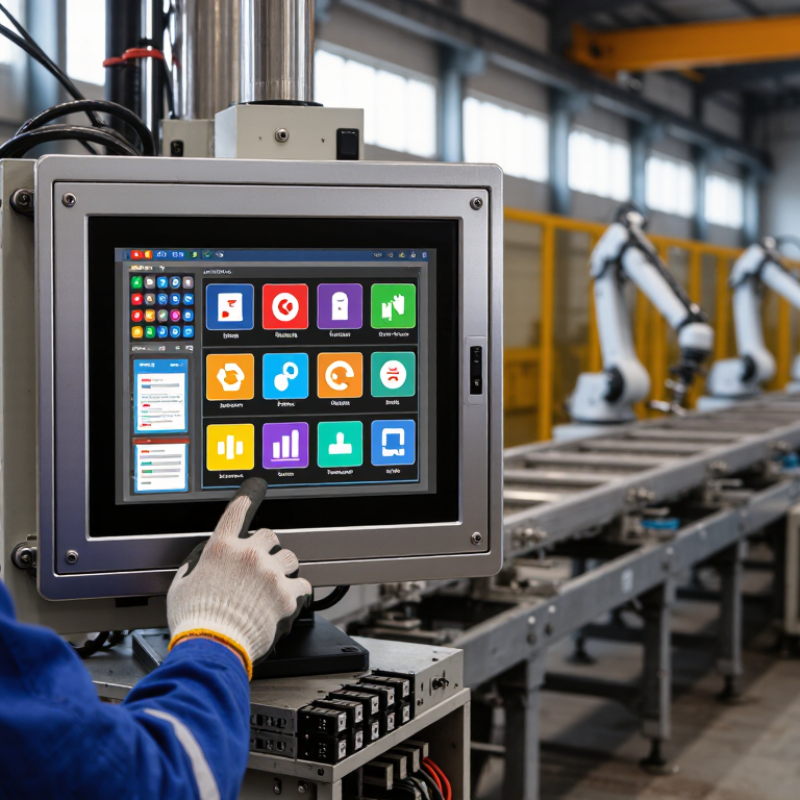
Start with the site. An industrial panel mount monitor may sit beside a warm machine, face a loading bay, or operate inside a washdown area. Record the expected temperature range, humidity, dust, splashes, vibration, and direct sunlight. Dust matters. A cabinet door can reduce exposure, but it may also trap heat. Check the temperature inside the enclosure during a normal production shift, not only the room temperature.
Then define the task. Will operators view alarms from several feet away, enter data with gloves, or inspect detailed graphics at close range? These needs affect screen size, brightness, touch technology, and viewing angle. Note how often the display will be used and which computer or control system it must connect to. Measure the panel cutout and available depth before choosing a unit. Measure twice. A connector that fits on paper may still collide with wiring behind the panel.
A common planning miss is focusing on the screen while overlooking cleaning routines and service access. If operators use thick gloves, test touch response with those gloves on; published specifications may not reflect the real workflow. If sunlight strikes the display at certain hours, check readability from the operator’s usual position. There is no perfect configuration. Extra brightness or sealing can bring trade-offs, so match each feature to a real site condition rather than guessing.
Check Mounting Dimensions and System Compatibility
For an industrial panel mount monitor, begin with the cabinet opening, not the screen’s advertised size. Measure the cutout width and height, then check the bezel dimensions and mounting depth. A monitor can match the opening but still collide with a rear support, cable bend, or closed cabinet door. Small errors matter. Leave room for ventilation and service access, especially where heat or vibration is present.
Tips: Measure the cutout at several points; older panels may not be perfectly square. Compare the monitor’s mounting drawing with the actual enclosure before ordering. Measure twice.
System compatibility is just as important. Confirm the required resolution, video input, touch interface, and operating-system support. Check connector locations and cable lengths against the installed computer. If the display will be used with gloves or near splashing liquids, verify that its touch technology and front-panel protection suit those conditions. Do not assume that a familiar connector guarantees compatibility; signal formats and power requirements can differ. Record the measurements and interface details for the installation team. It is easy to overlook one cable or mounting tab, and correcting that mistake after installation costs time.
Assess Durability, Certifications, and Long-Term Support
In 2026, assess an industrial panel mount monitor as part of the machine enclosure, not as a standalone screen. IEC 60529 defines IP ratings: IP65 means dust-tight protection and resistance to water jets. But a rating applies only to the tested configuration. Check the bezel, seals, connectors, and cable entry points together. A washdown area and a dusty packaging line need different protection. Review temperature and vibration limits, too. Ask for test conditions, not just a certificate number. No rating travels alone.
Downtime makes support a practical risk. Siemens’ 2024 True Cost of Downtime report estimates unplanned downtime costs large industrial companies about 11% of annual revenue, or roughly $1.4 trillion overall. That estimate is not monitor-specific, but it shows why replacement delays matter. Confirm the expected product lifecycle, repair options, spare-part availability, and lead times in writing. Check whether firmware updates and technical documentation remain available after installation. If your site needs a display for ten years, a short warranty may not tell the whole story. I would also verify the actual service route before purchase; support promises can sound clearer on paper than they feel during a shift.
Compare Total Ownership Cost and Supplier Reliability
When choosing an industrial panel mount monitor, compare more than purchase prices. Include installation, power use, cleaning, spare units, repair labor, and replacement time in your ownership-cost estimate. The U.S. Department of Energy’s life-cycle cost guidance recommends assessing costs across an asset’s full service life, not just at purchase. A low-cost display can become expensive if a failed touch layer requires a full unit replacement.
Supplier reliability matters when a line is waiting. Uptime Institute’s 2024 Annual Outage Analysis found that 54% of surveyed organizations reported their most recent significant outage cost more than $100,000. That figure concerns data-center outages, not monitor failures, so treat it as context—not a direct forecast. Still, it shows why support response time and available spares deserve attention. Ask suppliers for repair turnaround, warranty terms, component availability, and documented environmental test results. Get the answers in writing.
McKinsey has reported that predictive maintenance can reduce machine downtime by 30–50%; this is a broad industrial benchmark, not a promise for any monitor. Check whether the supplier offers diagnostics that help detect touch or backlight problems early. Then price a realistic spare strategy. One detail is easy to miss: a technically sound product may still be a poor choice if replacement units arrive slowly. Supplier claims also need checking. A response-time promise means little without a clear service process.